❯_
Terminals that outlive the window
The machine holds them. Pick them up from any computer, or from a phone. A tab gets a dot when an agent or a build wants you.
For anyone with more than one computer
Hop puts the terminals, files, web pages and apps of every machine you own in one fast window. Forget which machine you're on. Your AI tools can too.
macOS · Linux · Windows · iPhone & Apple TV soon
How it works
If you can ssh to it, Hop can open it. Machines in your ~/.ssh/config show up by themselves, and Hop sets up key sign-in for you the first time. Everything travels over the SSH you already trust.
Add Hop's small helper to a machine and its terminals live there: close the laptop, open Hop tomorrow on another computer, and they're exactly as you left them. No tmux, no screen.
Everything, on every machine
Tabs, pins, splits and a box you type into. Each tab knows which machine it belongs to, and they all come back after a restart.
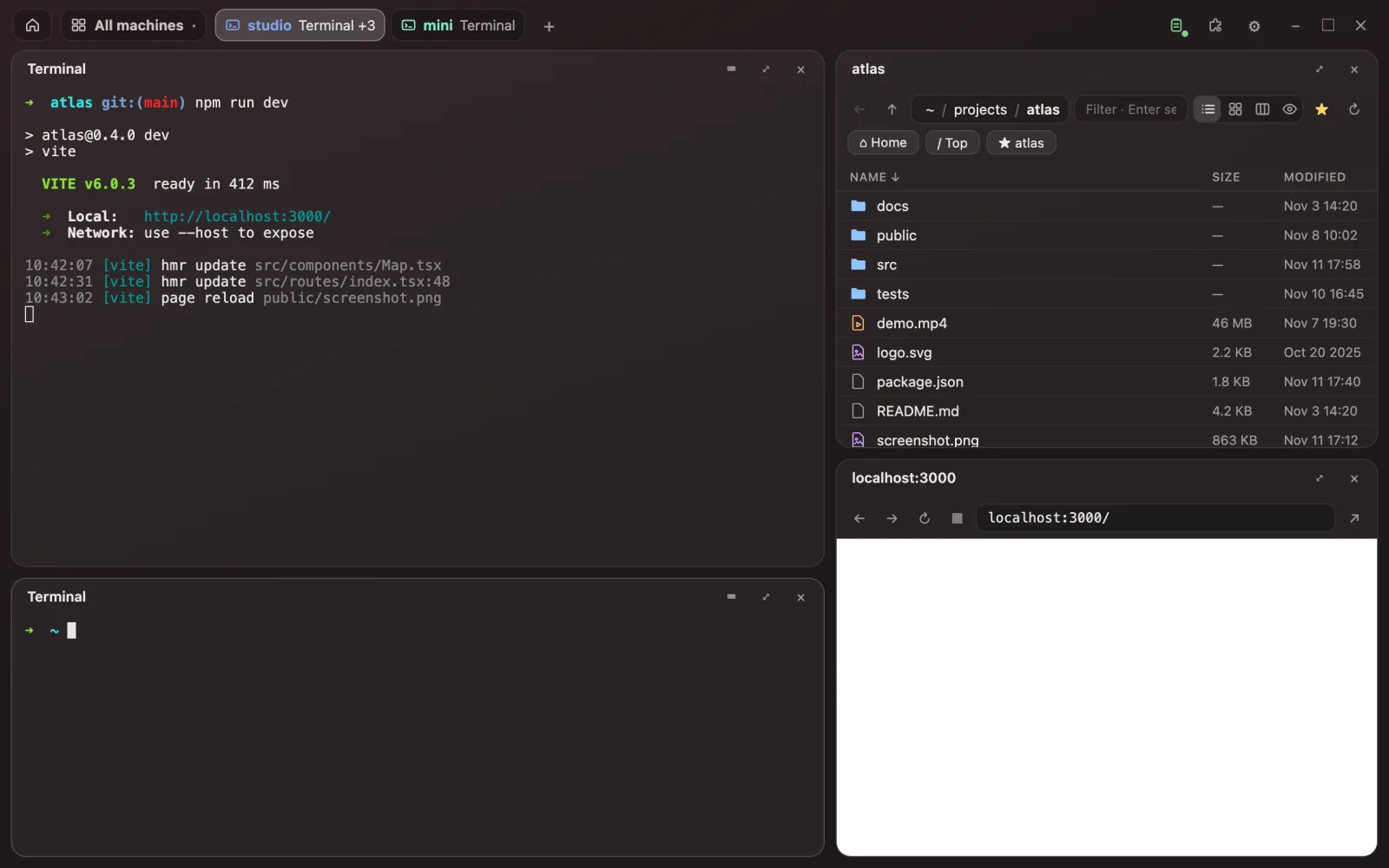
The machine holds them. Pick them up from any computer, or from a phone. A tab gets a dot when an agent or a build wants you.
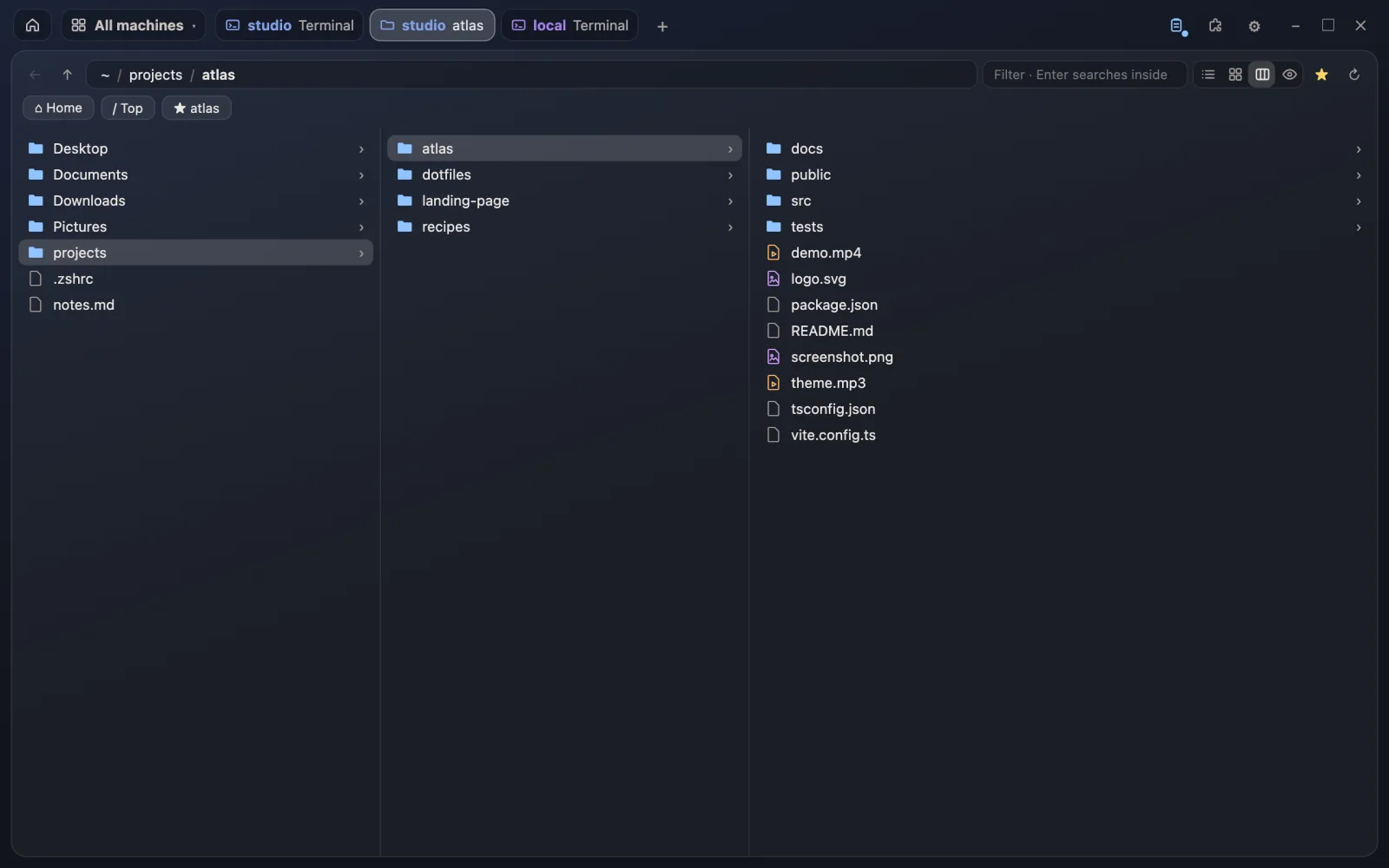
List, icons or columns. Video, pictures and music play straight from the other machine. Drop files on the window to send them over.
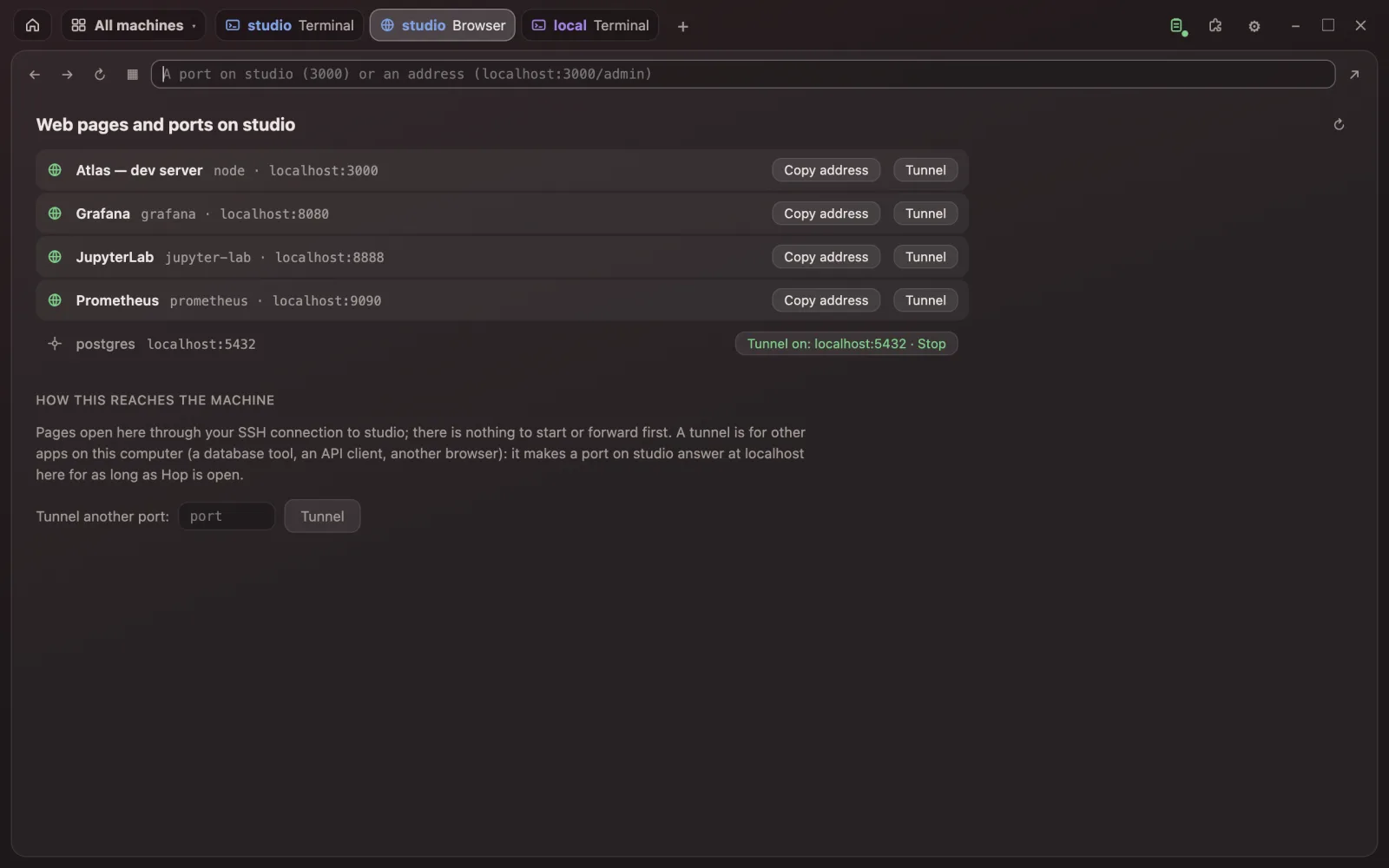
Hop finds what each machine serves and lists it by name. Click a localhost link in a terminal and the page opens beside it. Tunnel any port with one click.
Type an app's name and it opens on that Mac or Linux box and shows up here, live, with your mouse, keys, clipboard and its sound.
Copy a screenshot here, paste it into a terminal over there: Hop sends the picture and types its path. Copy on the server, paste on the laptop.
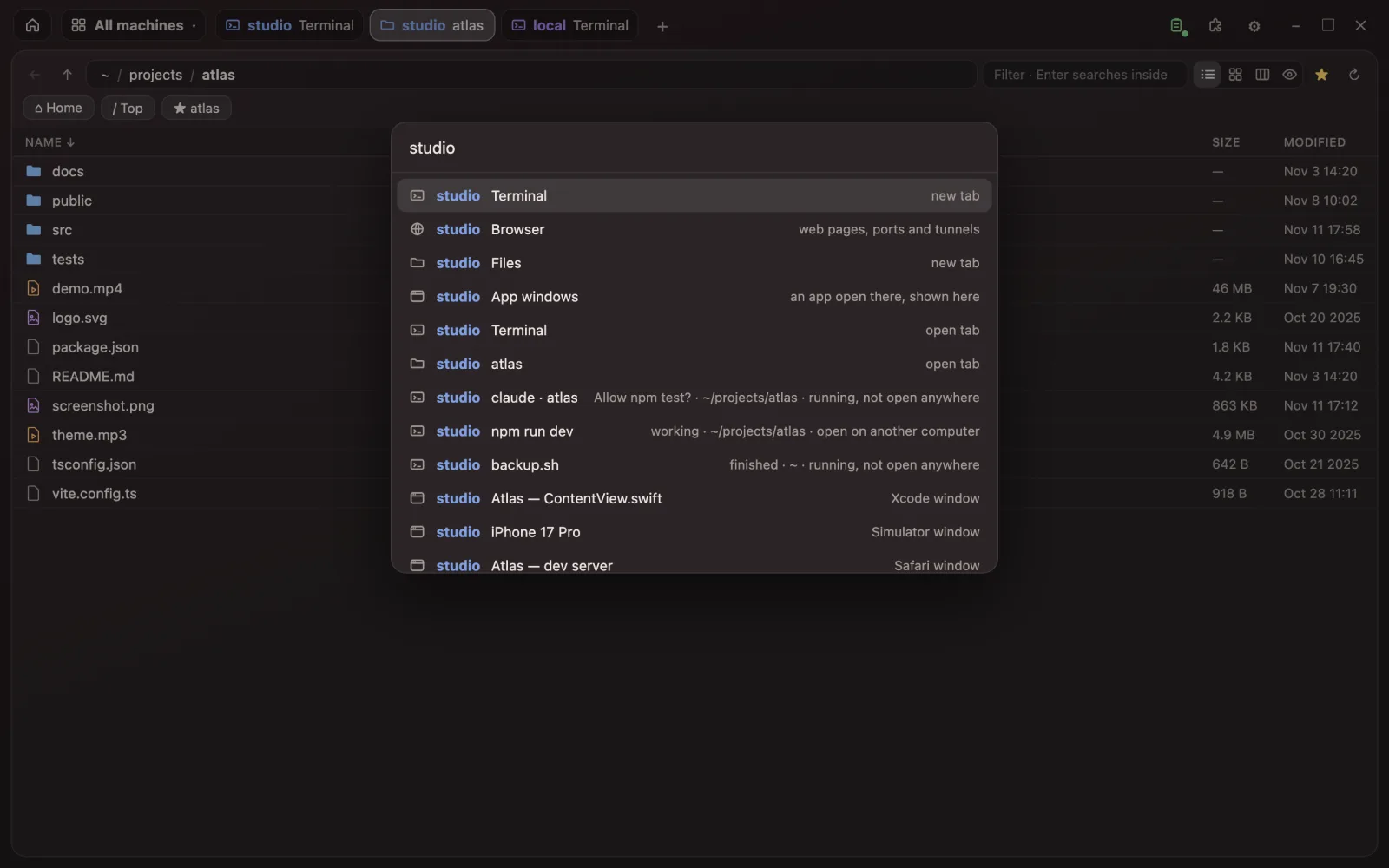
One box finds apps, open tabs, web pages, folders, commands, settings and files by name, across every machine at once.
App windows & games
Hardware-encoded video tuned for delay, not for bandwidth. A frame only goes when the window changes, and never more are in flight than you've seen, so it stays current on a slow link instead of falling behind.
input → next picture back, measured end to end
a 1080p120 frame's age leaving a Linux box (RTX 4080)
where the far screen goes that fast
sharp from it: video asked for by quality, not a share of bits
PipeWire DMA-BUF straight into NVENC. Pictures stay where the display put them; the graphics card does the rest.
Each app gets a display of its own nobody in that room sees. Your controller shows up there as an Xbox pad. ⌖ captures the mouse.
Opus audio a few hundredths behind the picture, with a steady 40 ms in hand. Talk into the far app with the mic button.
In the far machine's own shape, so it moves with your hand, not a frame or two later.
For AI tools
hop mcp serves every machine to any tool that speaks the Model Context Protocol. An agent can see what's running where, read and type into any terminal, start long jobs you can watch in Hop, read files, and work real app windows: their buttons, fields and text.
It can drive the Hop window itself, too: open a tab, split a pane, look at what you're looking at.
Why is the build on tower failing?
hop_context tower → 3 sessions, cargo busy in ~/game
read tower:build → error[E0425] in render.rs:212
send tower:build "cargo build" ⏎
hop_open tower terminal → opened beside you
Fixed a renamed function in render.rs. It builds now; the session is open in a new tab so you can watch the tests.
Keyboard first
Every action has a key, every key can change, and a tmux-style prefix is there if your hands already know one.
New tab: type studio files or mini 3000
Every command, setting and file
One machine's tabs, or all
Split right
Pin a tab across machines
Compact: nothing but panes
The hub
Run hop hub on the machine that's always on, and a phone, tablet or borrowed laptop gets your machines, sessions and last tabs. Nothing to install.
Add-ons
A small script can add a pane, a command, a button or a setting. Add-ons can do whatever Hop can: Docker, run-everywhere, an assistant that reaches every machine.
From a terminal
hop sessions
hop attach build --on studio
hop forward 5432 studio
hop copy studio
Hop is in private testing and isn't out yet. When it is, you'll download it here.
Your other machines will only need SSH.